
-
×
 4port Usb hub 3.0 super speed
1 × KSh 899.00
4port Usb hub 3.0 super speed
1 × KSh 899.00 -
×
 USB 2.0 Capture Card
1 × KSh 2,499.00
USB 2.0 Capture Card
1 × KSh 2,499.00
Subtotal: KSh 3,398.00
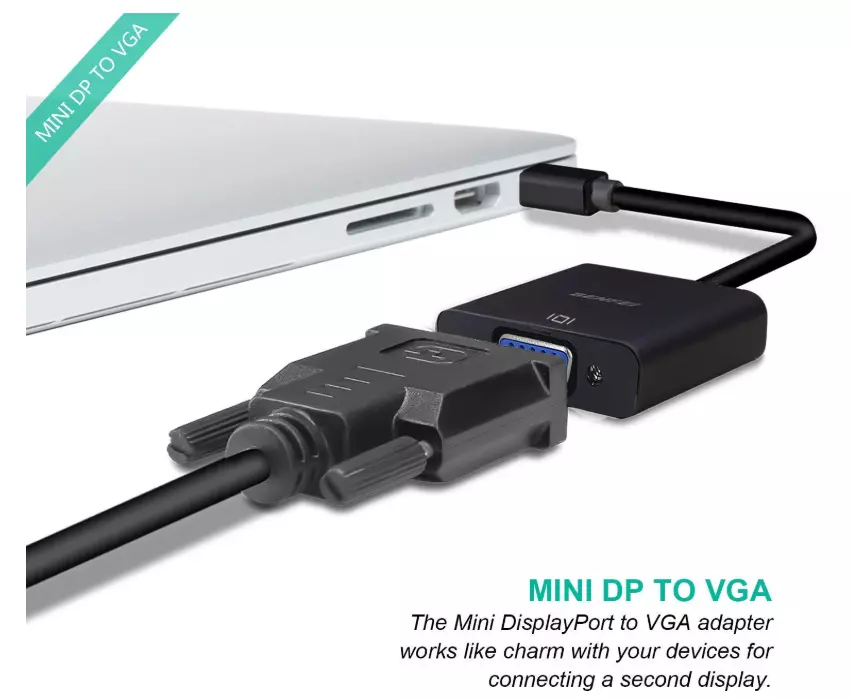
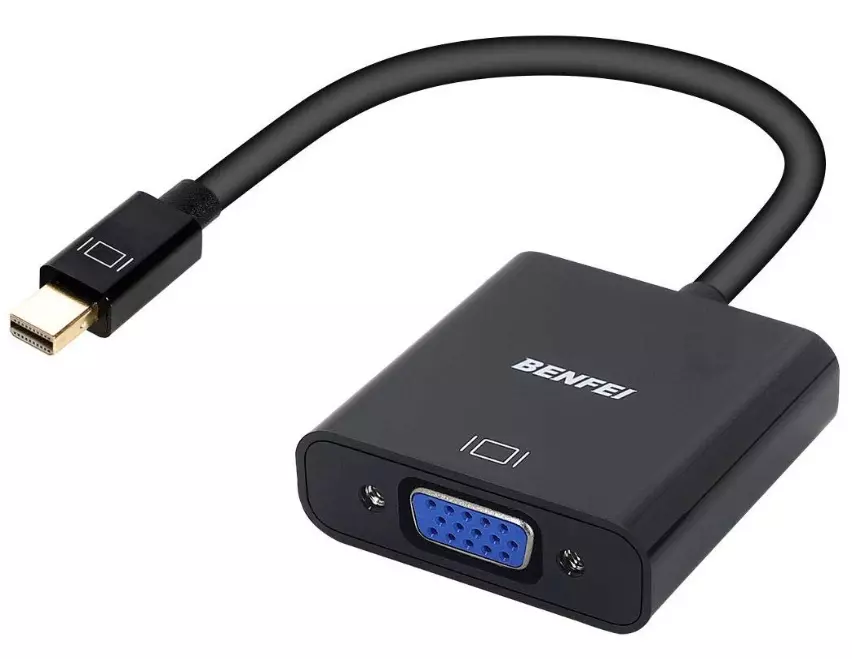
Input: Mini DisplayPort (Male)
Output: VGA (Female)
Resolution: Up to 1920×1080 @ 60Hz
Build: ABS shell, gold-plated connectors
Cable Length: ~15cm
Compatibility: Mac, Surface, laptops with Mini DP
Weight: ~45g
Features: Plug & play, no power needed
KSh 1,200.00
In a world filled with rapid tech advancements, not all devices grow obsolete at the same pace. Many professionals, offices, and institutions still rely on VGA monitors and projectors, even as modern laptops and tablets move to compact digital ports like Mini DisplayPort. That’s where the Mini DisplayPort to VGA Adapter becomes a must-have solution.
At Elvatech, we offer a reliable, high-performance Mini DisplayPort to VGA Adapter built for seamless compatibility, sharp video output, and plug-and-play ease. Whether you’re presenting in a boardroom, teaching in a classroom, or setting up a dual-monitor workstation, this adapter ensures your content reaches your audience—without limitations.
It’s a compact adapter cable that lets you connect a Mini DisplayPort-enabled device—such as a MacBook, Microsoft Surface, or Ultrabook—to a VGA input on a monitor, projector, or TV.
Since many VGA screens are still in use today, this adapter acts as a bridge between digital output and analog display, ensuring full compatibility between old and new tech.
Many schools, offices, conference centers, and lecture halls still use VGA projectors and monitors. If your laptop or tablet lacks a VGA port, you need a trusted adapter to avoid awkward tech issues during presentations.
It’s truly plug-and-play. Simply insert the Mini DisplayPort end into your device and connect the VGA end to the display. No drivers, software, or complicated settings are required.
Buying a new monitor isn’t always necessary. With this adapter, you can reuse your existing VGA displays with newer devices, helping you save costs.
This adapter is ideal for:
✅ Teachers and Trainers presenting on VGA projectors
✅ Office Professionals connecting laptops to older monitors
✅ Students displaying class projects or media
✅ Frequent Travelers who connect to projectors in hotels or conference rooms
✅ Gamers and Designers needing multi-screen setups
✅ Home Users watching videos from a laptop on a VGA TV
It’s compact, lightweight, and easy to carry in your bag or pocket.
Despite connecting a digital device to an analog screen, the adapter maintains sharp video quality—up to Full HD (1080p). This means:
Clear text for document sharing
Vibrant visuals for photo or video presentations
Smooth display for charts, graphs, and slides
Whether you’re displaying Excel sheets, playing video content, or streaming from YouTube, your visuals remain clear and fluid.
Durability matters—especially if you travel or use the adapter daily. Our Mini DisplayPort to VGA adapter features:
High-quality ABS housing that resists wear and scratches
Gold-plated connectors for superior signal transmission and corrosion resistance
Reinforced stress points to prevent cable breakage
Compact design that fits snugly in tight spaces
Every detail is engineered for long-term use, even in high-demand environments.
This adapter is barely larger than your finger and weighs less than 50 grams. It’s the ideal companion for:
Business trips
University lectures
Travel presentations
Remote work and client meetings
Just toss it in your laptop sleeve or backpack and you’re good to go.
Poor adapters can lead to screen flickering, color distortion, or signal loss. The Elvatech Mini DisplayPort to VGA Adapter is tested for signal stability, ensuring:
No screen tearing
No lag or distortion
Reliable resolution and aspect ratio maintenance
Smooth refresh rate for video playback or screen sharing
It’s built for professional use where reliability is key.
Here are examples of devices you can use with this adapter:
Apple MacBook Air / MacBook Pro (pre-2016 models)
iMac, Mac Mini
Microsoft Surface Pro / Surface Book / Surface Laptop
HP EliteBook / Lenovo ThinkPad with Mini DP
Dell Latitude (models with Mini DP)
Graphics cards (AMD/NVIDIA) with Mini DP port
Note: This is not a Thunderbolt 3 (USB-C) adapter. It works only with devices that have a Mini DisplayPort.
You can connect the adapter to:
VGA projectors (office/classroom)
Old desktop monitors
VGA-equipped LED or LCD TVs
Multimedia boards or visual projectors in churches or schools
Any display device with a VGA input will work flawlessly.
We also offer bulk orders for offices, schools, and resellers.
Insert the Mini DisplayPort end into your laptop or compatible device.
Plug the VGA cable from your monitor or projector into the adapter.
Turn on your display device.
Set your laptop to mirror or extend the screen.
That’s it—your display appears instantly.
No software, settings, or configuration needed.
1× Mini DisplayPort to VGA Adapter
1× Small User Guide
Support from Elvatech (via phone/WhatsApp)
Yes. Thunderbolt 1 and 2 ports are Mini DisplayPort-compatible. But it won’t work with Thunderbolt 3 (USB-C) ports.
No. VGA only transmits video signals. You’ll need a separate audio cable or speaker connection from your device.
No. It only works from Mini DisplayPort → VGA, not the other way around.
Yes. All pre-2016 MacBooks with Mini DisplayPort are supported.
Yes. You can choose to mirror or extend your screen depending on your device settings.
No. It doesn’t need external power. It draws what it needs directly from your device.
While technically possible, it may lead to signal loss. It’s best used with direct VGA input displays.
No. VGA is an analog standard and supports up to Full HD 1080p resolution only.
Yes. Elvatech provides bulk pricing for schools, offices, churches, and resellers.
| Feature | Details |
|---|---|
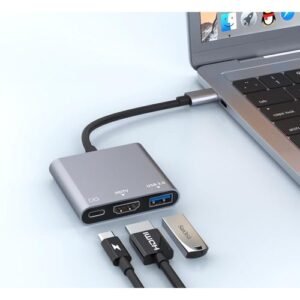
| Adapter Type | USB Type-C 3-in-1 |
| Ports | 1x HDMI, 1x USB 3.0, 1x USB-C PD |
| HDMI Output | 4K @ 30Hz |
| USB Speed | Up to 5Gbps (USB 3.0) |
| PD Charging | Up to 100W |
| Build Quality | Aluminum alloy casing |
| Compatibility | Windows, macOS, Android, iPadOS |
| Size | Compact pocket-sized form |
| Use Case | Data transfer, charging, screen output |
| Feature | Specification |
|---|---|
| Resolution | 24-bit |
| Sample Rates | 44.1kHz to 192kHz |
| THD+N | <0.001% |
| Inputs | RCA, 3.5mm, XLR (pro version) |
| Output Formats | WAV, FLAC, MP3, AIFF |
| USB Interface | USB 2.0/3.0 (32-bit float support) |
| Dimensions | 120×80×35mm |
| Power | USB bus or external 5V DC |
| Feature | Details |
|---|---|
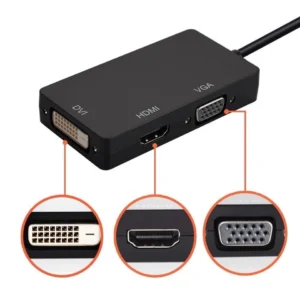
| Input Port | Mini DisplayPort (Male) |
| Output Ports | HDMI (Female), DVI (Female), VGA (Female) |
| Max Resolution HDMI | Up to 1920x1080p Full HD |
| Max Resolution VGA | Up to 1920x1080p |
| Max Resolution DVI | Up to 1920x1080p |
| Audio Support | HDMI output only (depends on device support) |
| Device Compatibility | MacBook, MacBook Pro, Surface Pro, Lenovo, HP laptops |
| Display Mode | Mirror or Extend Display |
| Build | Compact, lightweight, strong ABS shell |
| Power Requirement | No external power needed (plug-and-play) |
Select at least 2 products
to compare



There are no reviews yet.