Console Cable RJ45 to Serial RS232 Female Coupler Connector – Reliable Serial Communication Starts Here | Available at Elvatech Kenya
Introduction – A Bridge Between Modern Networks and Legacy Equipment
In today’s fast-moving digital world, most devices rely on USB and Ethernet—but legacy devices still power critical infrastructure like networking gear, switches, routers, and servers. To manage these devices, you need a way to talk to them—securely, reliably, and directly.
That’s where the RJ45 to Serial RS232 Female Console Cable Coupler Connector comes in. It’s the go-to tool for network administrators, technicians, and engineers who need to access the console ports of routers and switches.
Available now at Elvatech Kenya, this cable helps you establish a direct serial connection to essential networking hardware—even when USB or wireless isn’t an option.
What is a Console Cable RJ45 to Serial RS232 Female Connector?
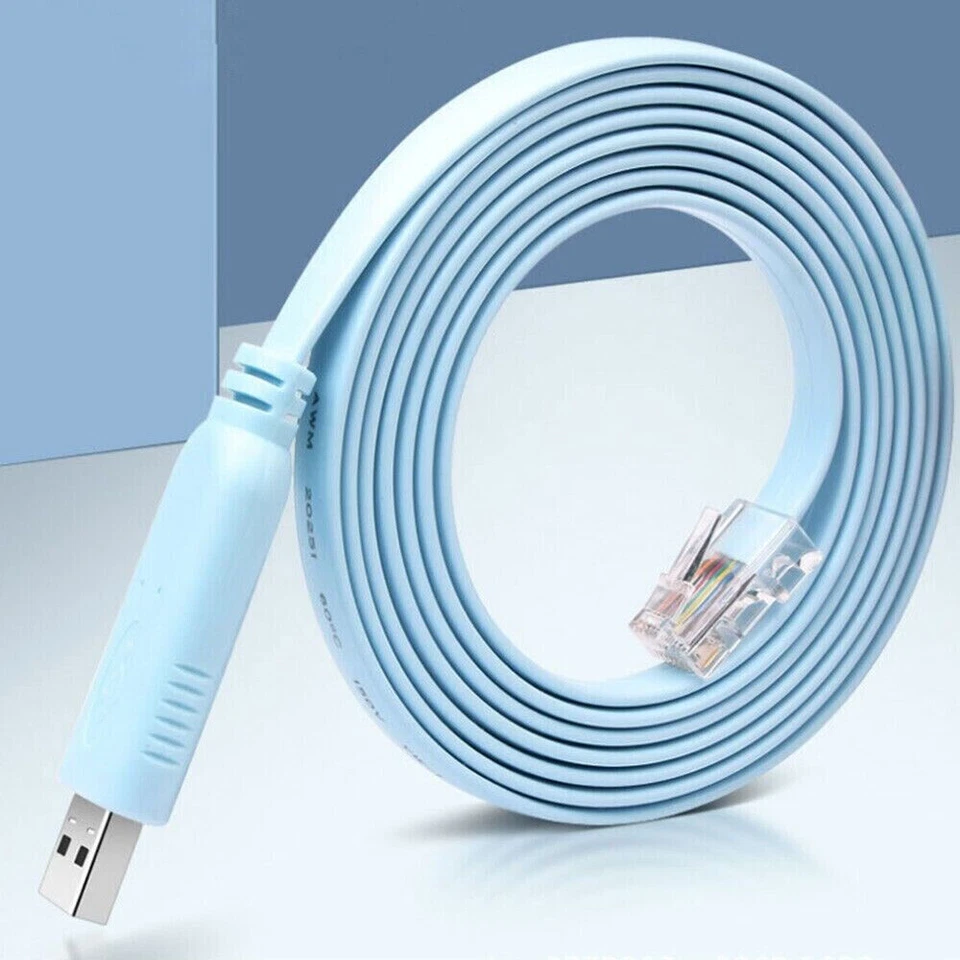
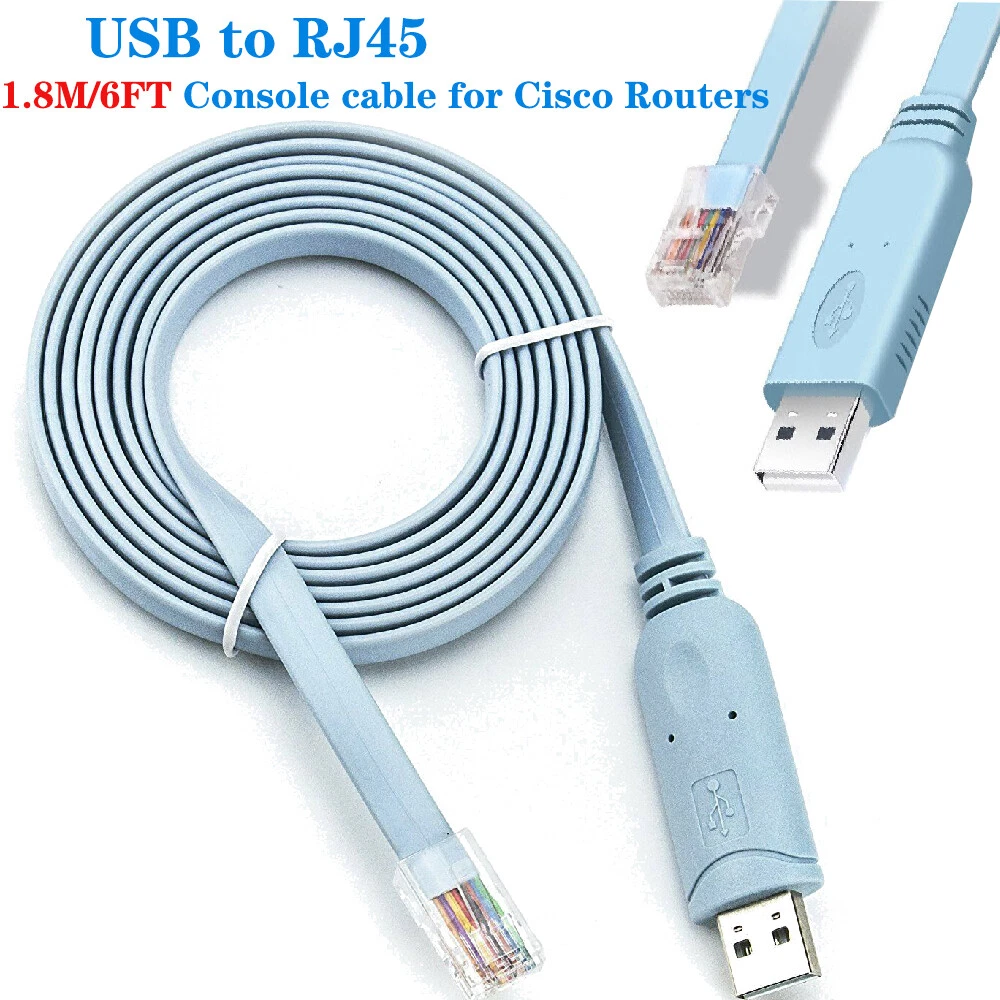
This is a specialized serial adapter cable that converts the RJ45 console port (common on routers and switches) to a female RS232 serial port (DB9), which can then be connected to older laptops, desktops, or through USB-serial converters.
It’s an essential component for any network technician or systems administrator, especially when configuring Cisco, Juniper, MikroTik, or Ubiquiti devices.
Why You Need This Adapter
1. Secure Access to Routers & Switches
It provides direct physical console access, even when network settings are misconfigured or inaccessible.
2. Configuration & Troubleshooting
Used to configure or recover network devices at boot-level using Command Line Interface (CLI).
3. Works With Older Laptops
Perfect for older laptops or PCs with RS232 ports—or pair it with a USB-to-Serial adapter for modern machines.
4. Universal Compatibility
Supports major brands like Cisco, MikroTik, TP-Link, D-Link, and Ubiquiti—ideal for technicians handling diverse networks.
5. Technician-Friendly Design
Lightweight, flexible, and compact—fits easily into any IT toolkit.
Who Is This For
This cable is essential for:
-
Network engineers and administrators
-
Field technicians
-
IT departments in corporates or institutions
-
ICT students and trainers
-
Developers working on embedded systems
-
Schools, universities, and labs handling Cisco/MikroTik training
Whether you’re booting a misbehaving router or initializing firmware on a new switch, this cable is a lifesaver.
How It Works
Most networking gear like Cisco routers and MikroTik switches have console ports using RJ45 jacks. These ports don’t carry Ethernet—they carry serial signals (RS232).
Your PC, however, doesn’t speak RJ45 serial. It speaks RS232 through a DB9 port—or via USB with a converter.
This cable converts the RJ45 console signal to RS232, allowing you to connect and communicate with your device using software like PuTTY, Tera Term, or HyperTerminal.
| Device Type |
Compatible? |
Notes |
| Cisco Routers |
✅ Yes |
Plug and configure immediately |
| MikroTik Switches |
✅ Yes |
May need specific baud rates |
| Laptops with Serial |
✅ Yes |
Native RS232 support |
| Laptops without Serial |
✅ With USB-to-Serial adapter |
Adapter sold separately |
| Android Phones |
⚠️ Not directly |
Needs OTG + terminal apps |
Software for Console Access
-
PuTTY (Windows) – Most popular terminal for network configuration
-
Tera Term – Lightweight and versatile
-
HyperTerminal – Legacy software, still used in some networks
-
Minicom (Linux) – Terminal-based access
-
CoolTerm (macOS) – Great for serial communication
Set baud rate to 9600, data bits: 8, stop bit: 1, parity: none, and flow control: none for standard Cisco access.
Best Practices
-
Always verify correct pin configuration (Elvatech cables follow Cisco standards)
-
Plug into router/switch before powering device
-
Use a stable terminal software for communication
-
Set terminal baud rate to match device (usually 9600)
-
Avoid excessive bending—store flat when not in use
Conclusion: The RJ45 to RS232 Female cable offers greater flexibility in older environments and is perfect when paired with USB-Serial adapters.
-
Frequently Asked Questions (FAQ)
Q1: Will this work on modern laptops?
Yes, if you pair it with a USB to RS232 Serial Converter (also available at Elvatech).
Q2: Does it support Cisco routers?
Absolutely. This cable follows the standard Cisco console pinout and is ideal for Cisco gear.
Q3: What’s the standard configuration for serial access?
-
Baud rate: 9600
-
Data bits: 8
-
Parity: None
-
Stop bits: 1
-
Flow Control: None
Q4: Can I use it with MikroTik or Ubiquiti?
Yes, many MikroTik and Ubiquiti devices have console ports that are RJ45-compatible.
Q5: Is this cable shielded?
Yes, many models come with shielding to reduce interference and ensure stable signals.
Q6: Can I use this for data transfer?
No. This cable is for console access only, not for file transfers or networking.

 Samsung Laptop RAM 8GB DDR3 1600MHz
1 × KSh 4,500.00
Samsung Laptop RAM 8GB DDR3 1600MHz
1 × KSh 4,500.00  SAMSUNG GALAXY BUDS 3 PRO
1 × KSh 16,500.00
SAMSUNG GALAXY BUDS 3 PRO
1 × KSh 16,500.00  Logitech m100 wired mouse
1 × KSh 1,200.00
Logitech m100 wired mouse
1 × KSh 1,200.00  SONY WH-1000XM6 HEADPHONE
1 × KSh 48,000.00
SONY WH-1000XM6 HEADPHONE
1 × KSh 48,000.00  Lexar 512GB 2.5" SSD
1 × KSh 4,500.00
Lexar 512GB 2.5" SSD
1 × KSh 4,500.00 

There are no reviews yet.