
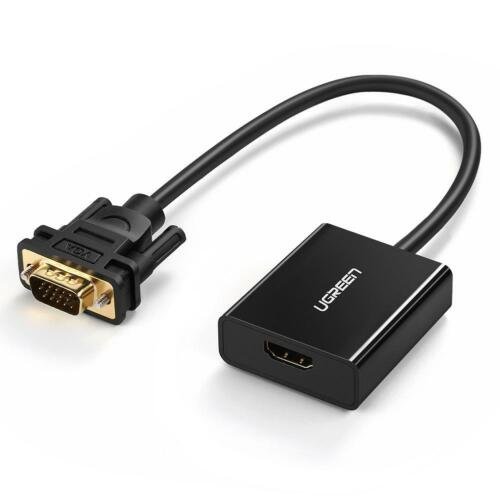
UGREEN HDMI to VGA Adapter with 3.5mm Audio
specs
Input: HDMI Male
✅ Output: VGA Female + 3.5mm Audio
✅ Resolution Support: Up to 1920×1080@60Hz (Full HD)
✅ Cable Length: 3.5 meters (long enough for flexible setups)
✅ Material: High-quality PVC & aluminum casing
✅ Plug-and-Play: No drivers required
✅ Compatibility: Windows, macOS, Linux, Chrome OS, select gaming consoles
KSh 2,999.00
UGREEN HDMI to VGA Adapter with 3.5mm Audio – The Ultimate Connectivity Solution
In today’s digital world, compatibility between devices is crucial. Whether you’re connecting a modern laptop to an older monitor or setting up a presentation with a projector, the UGREEN HDMI to VGA Adapter with 3.5mm Audio offers a hassle-free solution. Available at Elvatech, this adapter bridges the gap between HDMI and VGA devices while delivering crisp video and clear sound.
This blog explores the features, benefits, and real-world applications of this adapter, along with a detailed FAQ section to help you make an informed purchase.
Why Choose UGREEN HDMI to VGA Adapter?
1. High-Quality Digital-to-Analog Conversion
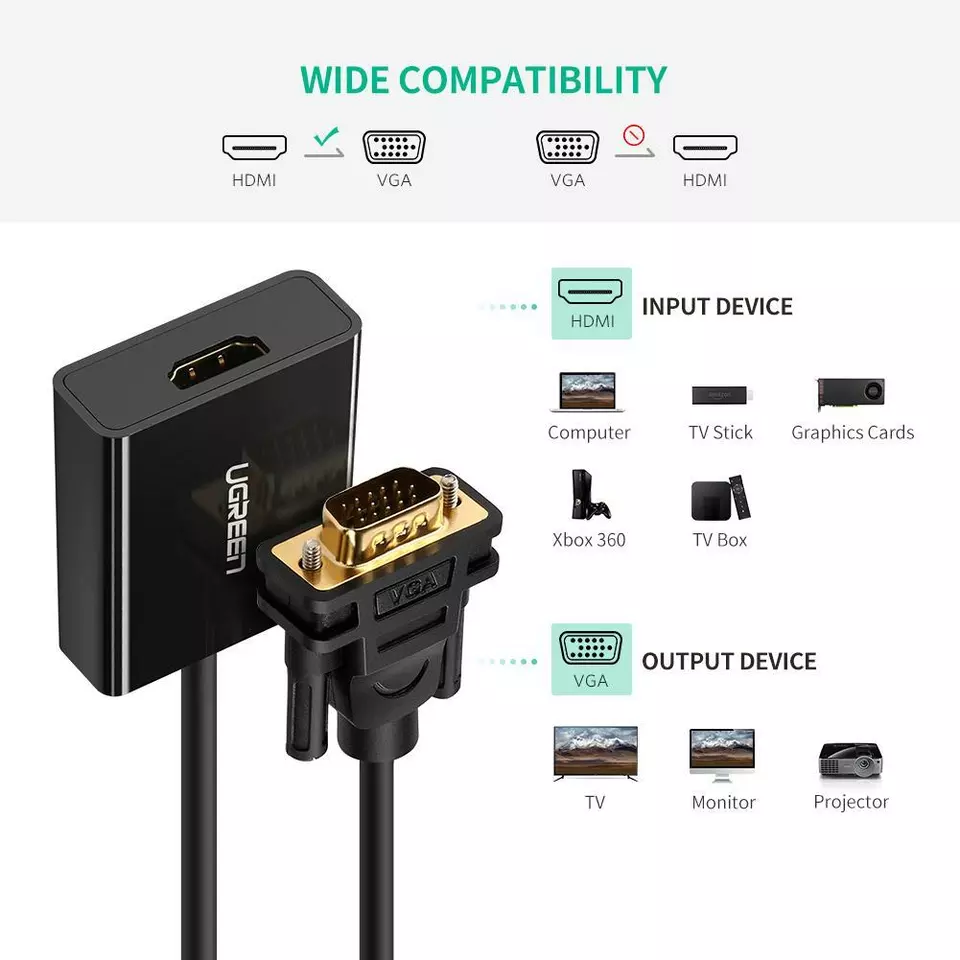
Modern laptops and PCs often lack VGA ports, relying instead on HDMI. However, many projectors and older monitors still use VGA. The UGREEN adapter converts digital HDMI signals to analog VGA without losing quality, ensuring sharp visuals.
2. Built-in 3.5mm Audio Support
Unlike many HDMI-to-VGA adapters that only transmit video, this model includes a 3.5mm audio jack, allowing you to connect external speakers or headphones for an immersive experience.
3. Plug-and-Play Convenience
No drivers or software installation is needed—just plug in the adapter, and it works instantly with Windows, macOS, Linux, and even some gaming consoles.
4. Compact and Durable Design
The UGREEN adapter is lightweight, portable, and built with high-grade materials, making it ideal for travel, office use, or home setups.
5. Wide Compatibility
Works with:
-
Laptops (HP, Dell, Lenovo, MacBook with HDMI)
-
Monitors & Projectors (VGA-supported)
-
Gaming Consoles (Nintendo Switch, PS4 in some cases)
-
Streaming Devices (Fire Stick, Roku with HDMI output)
-
Practical Applications of UGREEN HDMI to VGA Adapter
1. Office & Business Presentations
Many conference rooms still use VGA projectors. With this adapter, you can connect your HDMI laptop and deliver presentations without compatibility issues.
2. Home Entertainment Setup
Got an old VGA monitor lying around? Convert it into a secondary display for your laptop, gaming console, or streaming device.
3. Educational Use
Teachers and students can use this adapter to connect modern devices to classroom projectors or older monitors for seamless lessons.
4. Gaming & Multimedia
While not ideal for high-end gaming due to analog signal limitations, it works well for casual gaming or watching movies on older displays.
Frequently Asked Questions (FAQ)
Q1: Does this adapter require external power?
No, it draws power directly from the HDMI port, so no extra cables or adapters are needed.
Q2: Will it work with a MacBook?
Yes, it is compatible with MacBooks that have an HDMI port (or via a USB-C hub with HDMI output).
Q3: Can I use this for dual monitors?
No, this is a single-display adapter. For dual monitors, you’ll need a separate HDMI splitter.
Q4: Does it support 4K resolution?
No, the maximum supported resolution is 1920×1080 (Full HD) due to VGA’s analog limitations.
Q5: Why is there no sound through HDMI after connecting?
Since VGA doesn’t carry audio, you must use the 3.5mm audio jack to connect speakers or headphones.
Q6: Is this adapter compatible with gaming consoles?
It works with Nintendo Switch and some PS4 setups, but for best results, check your console’s HDMI output settings.
Conclusion
The UGREEN HDMI to VGA Adapter with 3.5mm Audio is a must-have for anyone needing to connect modern HDMI devices to older VGA displays. Its plug-and-play functionality, high-definition video support, and built-in audio jack make it a versatile solution for offices, classrooms, and home entertainment.
Available now at Elvatech—upgrade your connectivity today!
Based on 0 reviews
Be the first to review “UGREEN HDMI to VGA Adapter with 3.5mm Audio”
Related products
-
Adapters, Computing
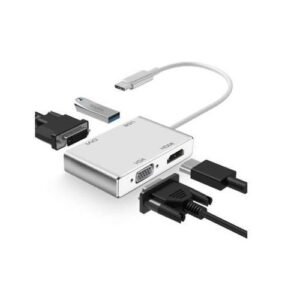
USB Type-C to VGA, DVI, HDMI & USB Adapter
Feature Specification Input USB Type-C Male Output Ports 1x HDMI, 1x VGA, 1x DVI, 1x USB-A 3.0 HDMI Resolution Up to 3840 x 2160 @ 30Hz (4K) VGA & DVI Resolution Up to 1920 x 1080 @ 60Hz (Full HD) USB Port USB 3.0 (up to 5Gbps transfer speed) Compatibility macOS, Windows, Android, Linux, iPadOS Material ABS or Aluminum Alloy (varies by model) Power Source Powered via USB-C, no external power needed Weight ~60g (compact and portable) SKU: n/a -
Computing
1080P Mini VGA to AV RCA Converter
Feature Specification Input Resolution Up to 1920×1080@60Hz Output Format NTSC/PAL composite video Input Connector 15-pin VGA (HD-15) Output Connectors RCA (Yellow), Stereo Audio (Red/White) Power Requirement VGA port powered (no adapter) Dimensions 75×45×18mm Weight 98g Operating Temp 0°C to 50°C SKU: n/a -
-
Computing
1×8 HDMI Splitter
Feature Specification Input Ports 1x HDMI (Female) Output Ports 8x HDMI (Female) Max Resolution 4K@30Hz (3840×2160) Supported Formats 480i/576i/480p/576p/720p/1080i/1080p/4K HDCP Compliance 1.4/2.2 Bandwidth 10.2Gbps Power Supply 5V/2A USB (included) Dimensions 150 x 85 x 25mm SKU: n/a


There are no reviews yet.