

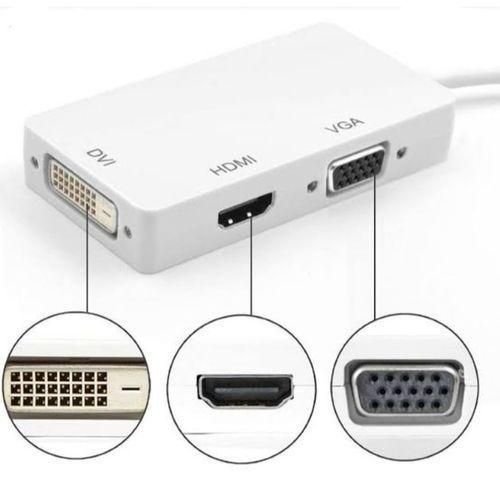
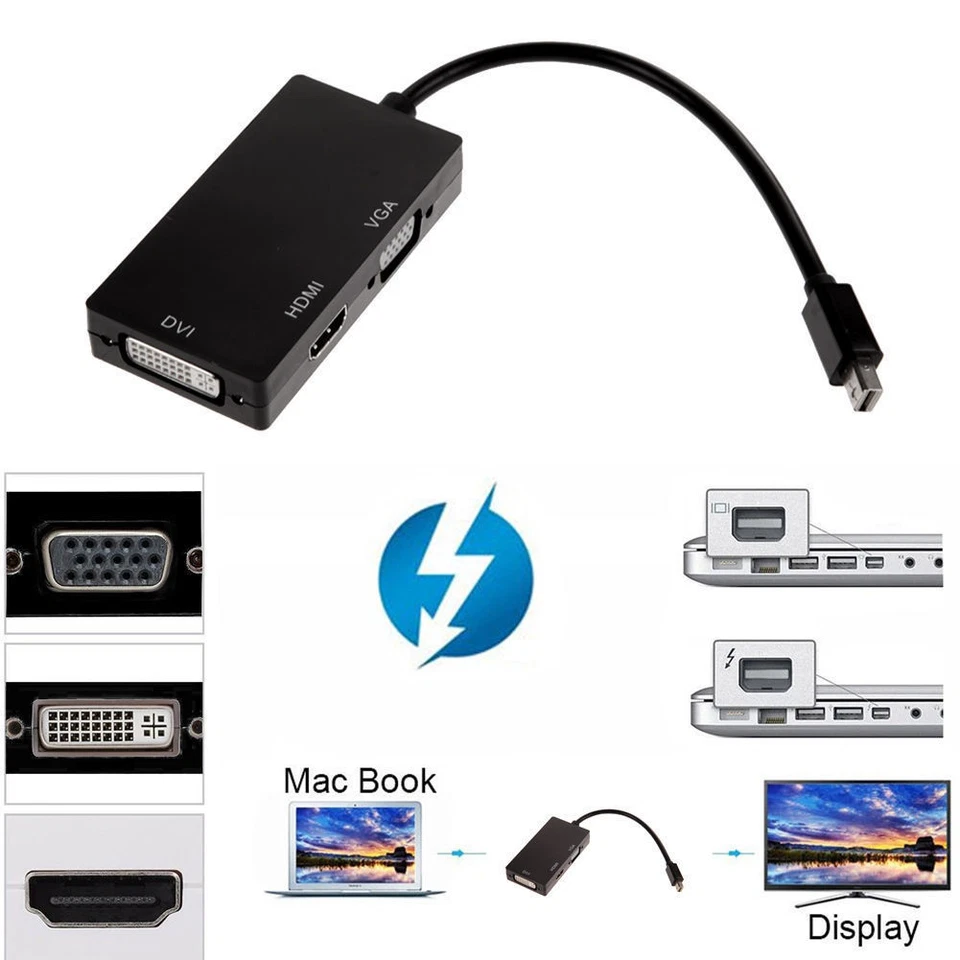
Mini DisplayPort to HDMI, DVI, VGA 3-in-1 Adapter
| Feature | Details |
|---|---|
| Input Port | Mini DisplayPort (Male) |
| Output Ports | HDMI (Female), DVI (Female), VGA (Female) |
| Max Resolution HDMI | Up to 1920x1080p Full HD |
| Max Resolution VGA | Up to 1920x1080p |
| Max Resolution DVI | Up to 1920x1080p |
| Audio Support | HDMI output only (depends on device support) |
| Device Compatibility | MacBook, MacBook Pro, Surface Pro, Lenovo, HP laptops |
| Display Mode | Mirror or Extend Display |
| Build | Compact, lightweight, strong ABS shell |
| Power Requirement | No external power needed (plug-and-play) |
KSh 2,500.00
Mini DisplayPort to HDMI, DVI, VGA 3-in-1 Adapter
Picture this: You walk into a boardroom, classroom, or living room, ready to present or stream—but your laptop only has a Mini DisplayPort, and the available screen only supports HDMI or VGA. Stressful, right?
Now imagine walking in with one small adapter in your bag that can instantly connect to HDMI, DVI, or VGA—no matter what screen you’re dealing with.
That’s exactly what the Mini DisplayPort to HDMI/DVI/VGA Adapter offers. This 3-in-1 multiport converter is the versatile, plug-and-play display adapter every student, professional, content creator, or home user needs.
Why Choose This 3-in-1 Mini DisplayPort Adapter?
✅ 1. All-in-One Convenience
Instead of buying separate Mini DisplayPort-to-HDMI, -to-DVI, and -to-VGA adapters, this smart design combines them into one unit. Perfect for professionals and students who present in varied environments.
✅ 2. No Driver Needed
No installations, no waiting. Just plug into your Mini DisplayPort-enabled device, connect to your display screen via HDMI/DVI/VGA, and you’re ready.
✅ 3. Broad Compatibility
This adapter works with:
-
MacBook and MacBook Pro (pre-2016)
-
Microsoft Surface Pro and Surface Book
-
Lenovo ThinkPad series
-
HP EliteBooks
-
Dell XPS with Mini DP
-
And many more laptops with Mini DisplayPort or Thunderbolt 1/2
✅ 4. Stunning HD Visuals
It supports Full HD 1080p output for each port, ensuring that your presentations, videos, or mirrored displays look crisp and professional.
✅ 5. Portable, Durable, and Dependable
With a rugged yet compact design, this adapter fits easily in your laptop bag or pocket. It’s your on-the-go display companion whether you’re heading to class, a boardroom, or a client site.
Real Use Cases
Teaching & Training
You never know what port a school projector might have—VGA, HDMI, or DVI. Be ready for anything with one adapter in your bag.
Business Presentations
Pitching to clients in different offices? Connect to any display—old or new—without asking IT for help.
Students & Online Learners
Need a larger screen for Zoom classes, YouTube tutorials, or project work? Use the adapter to plug into any monitor or TV you find.
Home Office Warriors
Use the HDMI port to extend your display onto a second monitor for better productivity at home or in hybrid work setups.
Movie Nights & Streaming
Stream from your MacBook or Surface to a larger HDMI TV for a better viewing experience at home.
How It Works – Simple 3-Step Setup
-
Plug the Mini DisplayPort connector into your device.
-
Choose one output (HDMI, DVI, or VGA) and connect your display cable.
-
Select the correct input on your monitor or TV—and you’re live.
Note: Only one output port works at a time. This adapter doesn’t support simultaneous multi-display
What’s in the Box?
-
1x Mini DisplayPort to HDMI/DVI/VGA 3-in-1 Adapter
-
Elvatech purchase receipt
-
Optional zip pouch available in-store
Important Notes
-
Only one output works at a time (HDMI, DVI, or VGA)
-
Supports audio on HDMI only if your device allows
-
Adapter is unidirectional (Mini DisplayPort to video output, not the reverse)
-
Compatible with Thunderbolt 1 and 2 ports (common on Macs)
❓ Frequently Asked Questions (FAQs)
Q1: Will this work on a Thunderbolt port?
Yes. Thunderbolt 1 and 2 use the same connector as Mini DisplayPort, so it works perfectly.
Q2: Can I use more than one output port at the same time?
No. This adapter supports only one active output at a time.
Q3: Does it transmit audio?
Yes, HDMI output supports audio if your device allows it (MacBooks and some Surface models do). DVI and VGA do not support audio.
Q4: Do I need external power?
No. This is a plug-and-play device that doesn’t need any external power or software.
Q5: Can I use this to connect my Mac to a TV?
Absolutely. Just plug in the Mini DisplayPort into your Mac and connect an HDMI cable to your TV.
Q6: Will it work with a projector?
Yes. Whether the projector supports VGA, HDMI, or DVI, this adapter covers all three.
Q7: Is it available at Elvatech Kenya?
Yes. We have ready stock. You can walk into our Nairobi CBD shop, order online, or request same-day delivery in Nairobi and next-day delivery countrywide.
Based on 0 reviews
Be the first to review “Mini DisplayPort to HDMI, DVI, VGA 3-in-1 Adapter”
Related products
-
-
Computing
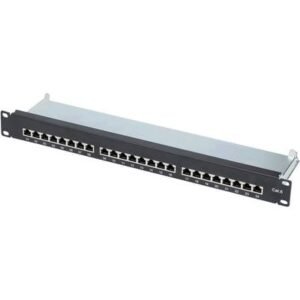
24-Port Network Patch Panel
Feature Specification Ports 24 x RJ45 (Cat6/Cat6a) Compatibility Cat5e, Cat6, Cat6a Bandwidth Up to 500MHz (Cat6a) Mounting 1U Rack-Mountable Termination Type 110 Punch-Down Material Steel with metal shield PoE Support Yes (802.3af/at) Dimensions 19″ standard rack width SKU: n/a -
Computing
4K HDMI to 1080p Video Capture
Feature Specification Input Resolution 4K@60Hz (3840×2160) Output Resolution 1080p@60Hz (1920×1080) Color Depth 8/10-bit 4:2:2 Latency 82ms (1080p60) USB Interface USB 3.0 (5Gbps) Supported Codecs H.264, MJPEG, YUY2 Dimensions 98×62×22mm OS Compatibility Windows 10/11, macOS 10.15+, Linux SKU: n/a -
Computing, mouse
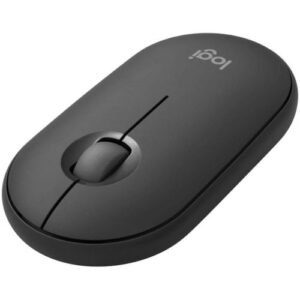
Logitech M350s Slim Bluetooth Wireless Mouse -pebble Graphite
Specifications
-
Model: Logitech M350s Pebble Wireless Mouse
-
Connectivity: Dual (Bluetooth + USB Receiver)
-
Clicks: Silent Touch Technology (ultra-quiet)
-
Battery Life: Up to 24 months (1 x AA battery)
-
Sensor: High Precision Optical Tracking
-
Buttons: 3 (Left, Right, Scroll + customizable center button)
-
Compatibility: Windows, macOS, iPadOS, ChromeOS, Linux
-
Shape: Slim, flat, portable
-
Weight: ~76g (with battery)
SKU: n/a -


There are no reviews yet.