

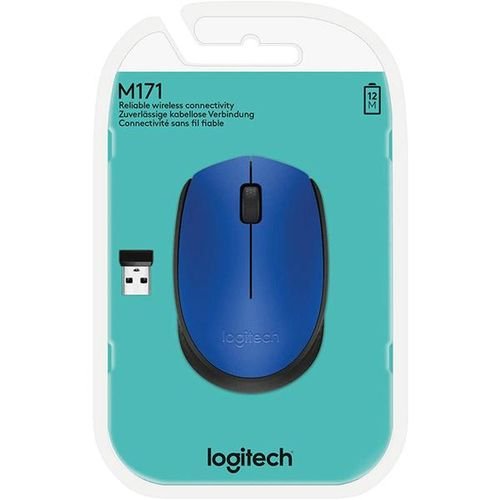
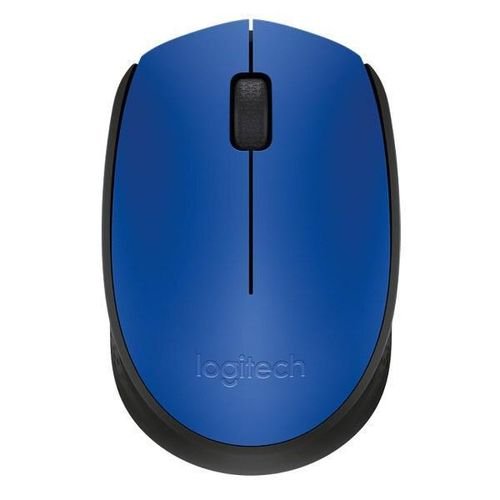
Logitech M171 Blue Mouse
- Smooth optical tracking
- DPI (Min/Max): 1000±
- Number of buttons: 3 (Left/Right-click, Middle click)
- Line-by-line scrolling
- Scroll Wheel: Yes, 2D, optical
- Battery: 12 months 5Battery life may vary based on user and computing
- Battery Details: 1 x AA (included)
- Connection Type: 2.4 GHz wireless connection
- Wireless range: 10 m 6Wireless range may vary based on user, environmental and computing conditions.
KSh 1,999.00
The Logitech M171 Blue Mouse is a simple and reliable wireless mouse designed for smooth everyday computing. Its compact size and dependable performance make it ideal for home use, office work, and studying.
Powered by a stable 2.4GHz wireless connection, the Logitech M171 provides responsive cursor control with minimal lag. The plug-and-play USB receiver allows fast setup, so you can start using the mouse immediately without installing additional software.
The comfortable ambidextrous shape supports both left- and right-handed users, while smooth optical tracking ensures accurate movement on most surfaces. With efficient power usage and long battery life, the Logitech M171 Blue offers a practical and affordable solution for everyday computer tasks.
Key Features
-
Reliable 2.4GHz wireless connectivity for consistent performance
-
Plug-and-play USB receiver for quick setup
-
Ambidextrous design suitable for left- and right-handed users
-
Smooth optical tracking for precise cursor control
-
Compact and lightweight for easy portability
-
Long-lasting battery life for daily use
-
Stylish blue finish for a modern look
-
Frequently Asked Questions (FAQ)
Is the Logitech M171 Blue a wireless mouse?
Yes. It uses a 2.4GHz wireless connection with a USB receiver.Does the mouse work with laptops and desktops?
Yes. It is compatible with laptops and desktop computers that have a USB port.Can left-handed users use the Logitech M171 Blue?
Yes. Its ambidextrous design makes it suitable for both left- and right-handed users.Does the mouse require software installation?
No. The mouse is plug-and-play and works immediately after connecting the USB receiver.What is the Logitech M171 Blue best used for?
It is ideal for browsing, office work, studying, and general everyday computer use.
Based on 0 reviews
Be the first to review “Logitech M171 Blue Mouse”
Related products
-
mouse
Logitech m100 wired mouse
Short Bullet Specs:
- USB Wired Optical Mouse
- Compatible with Windows, macOS, ChromeOS, Linux
- 1000 DPI High-Precision Optical Sensor
- Plug & Play with USB Connectivity
- Ambidextrous Design (Right & Left-Handed)
- Lightweight & Durable Build
- No Software Installation Needed
SKU: n/a -
Computing, mouse
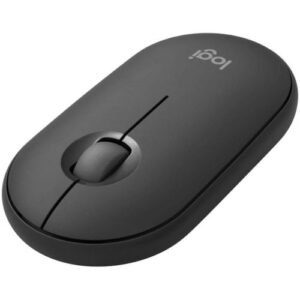
Logitech M350s Slim Bluetooth Wireless Mouse -pebble Graphite
Specifications
-
Model: Logitech M350s Pebble Wireless Mouse
-
Connectivity: Dual (Bluetooth + USB Receiver)
-
Clicks: Silent Touch Technology (ultra-quiet)
-
Battery Life: Up to 24 months (1 x AA battery)
-
Sensor: High Precision Optical Tracking
-
Buttons: 3 (Left, Right, Scroll + customizable center button)
-
Compatibility: Windows, macOS, iPadOS, ChromeOS, Linux
-
Shape: Slim, flat, portable
-
Weight: ~76g (with battery)
SKU: n/a -
-
Computer Accessories, mouse
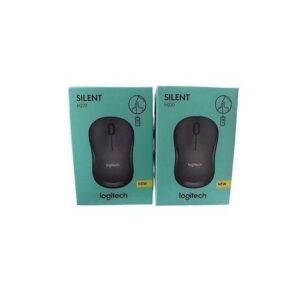
Logitech M220 Silent Wireless Mouse
Specifications
-
Silent click technology for noise-free working environments
-
Smooth 2.4GHz wireless connection with reliable performance
-
Comfortable ambidextrous design for left- and right-handed users
-
Accurate optical tracking for precise everyday control
-
Plug-and-play USB receiver for instant setup
-
Compact, lightweight design ideal for office and home use
SKU: n/a -
There are no reviews yet.