

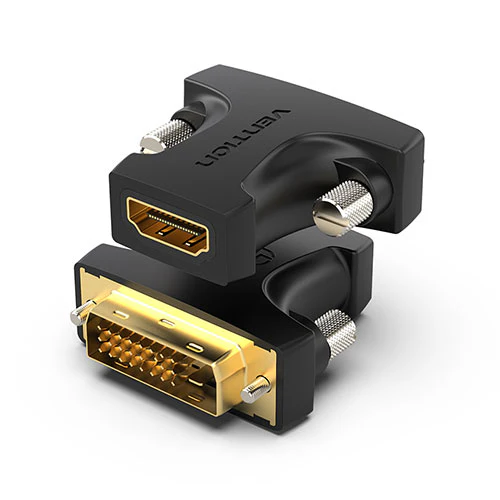
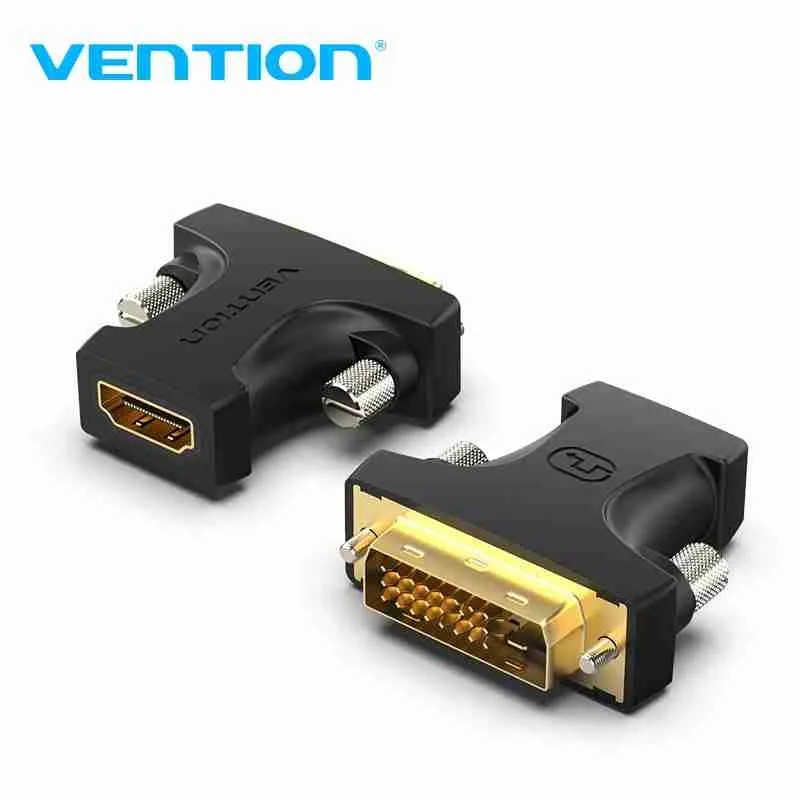
Vention HDMI to DVI-D Connector
| Feature | Specification |
|---|---|
| Input | HDMI (Male) |
| Output | DVI-D (Male) |
| Max Resolution | 1920×1080 @ 60Hz |
| Color Depth | 24-bit (16.7 million colors) |
| Bandwidth | 4.95 Gbps |
| Connector Material | Gold-plated |
| Cable Length | 15cm (fixed adapter) |
KSh 600.00
Vention HDMI to DVI-D Connector – Premium Digital Video Conversion at Elvatech
As display technology evolves, compatibility between different video interfaces remains a common challenge. The Vention HDMI to DVI-D Connector provides a high-fidelity digital bridge, allowing you to connect HDMI-equipped devices (like gaming consoles, streaming boxes, and laptops) to DVI-D monitors or projectors without signal degradation.
At Elvatech, we understand the importance of reliable connectivity. This in-depth guide explores:
-
Key advantages of this adapter over generic alternatives
-
Real-world applications for home, office, and professional use
-
Technical specifications simplified
-
FAQs answered by AV specialists
-
Why Elvatech guarantees superior performance
Why This HDMI to DVI-D Connector Stands Out
1. Pure Digital Signal Transmission
-
No analog conversion – preserves original video quality
-
Supports 1080p Full HD @ 60Hz for smooth playback
-
24-bit color depth for vibrant, accurate visuals
2. Universal Compatibility
-
Works with:
-
PlayStation, Xbox, Nintendo Switch (via HDMI)
-
Laptops, Blu-ray players, streaming devices
-
DVI-D monitors, projectors, and digital signage
-
3. Robust Build Quality
-
Gold-plated connectors resist corrosion
-
Oxygen-free copper wiring minimizes signal loss
-
Strain-relief design prevents cable damage
4. Plug-and-Play Convenience
-
No drivers or external power needed
-
Hot-swappable – connect/disconnect on the fly
-
Compact, lightweight design (fits in laptop bags)
5. Cost-Effective Display Upgrade
-
Extend the life of DVI monitors without replacing them
-
Avoid expensive new cables – reuse existing ones
-
Ideal for multi-screen setups
-
Real-World Applications
For Home Entertainment
✔ Connect gaming consoles to older DVI monitors
✔ Stream Netflix/Disney+ from HDMI devices to DVI screens
✔ Use Blu-ray players with DVI-equipped home theatersFor Office & Productivity
✔ Link modern laptops to office monitors
✔ Extend digital signage to DVI displays
✔ Connect presentation devices to projectorsFor Gaming & Esports
✔ Reduce input lag vs. analog conversion
✔ Maintain 1080p @ 60Hz for competitive gaming
✔ Use with high-refresh-rate DVI monitors (up to 144Hz with dual-link DVI)For IT Professionals
✔ Troubleshoot mixed display setups
✔ Deploy cost-effective office upgrades
✔ Maintain legacy AV systems
Frequently Asked Questions (FAQs)
Q1: Does this support 4K resolution?
A: No – designed for 1080p (for 4K, use an active converter).
Q2: Will audio transfer through DVI?
A: No – DVI carries video only (audio requires separate cable).
Q3: Can I use it with a DVI-I monitor?
A: Yes, but only the digital signal will work (DVI-A analog won’t function).
Q4: Is there noticeable input lag?
A: <1ms delay – imperceptible for gaming/video.
Q5: Does it work with Apple M1/MacBooks?
A: Yes, with Apple’s USB-C to HDMI adapter (sold separately).
Q6: Can I daisy-chain multiple adapters?
A: Not recommended – may cause signal degradation.
Optimization Tips
-
Use high-quality HDMI/DVI cables for best performance
-
Set output resolution manually in device settings
-
Secure connections firmly to avoid signal drops
-
Update graphics drivers if display issues occur
-
Avoid bending the adapter at sharp angles
-
Based on 0 reviews
Be the first to review “Vention HDMI to DVI-D Connector”
Related products
-
Computer Components, Computing
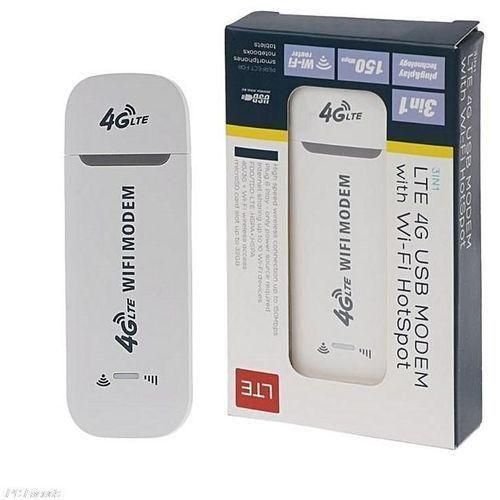
USB Modem
Specifications
- Portable USB modem device
- SIM card supported
- Plug-and-play installation
- Supports 3G / 4G mobile networks
- USB powered (no external power needed)
- Compact and lightweight design
- Compatible with laptops and desktops
- Supports major mobile network providers
- Stable mobile internet connectivity
- Ideal for travel and remote work
SKU: n/a
There are no reviews yet.